


VSCO: Photo Editor
3.619.81K Reviews
App Specs
- Version
- 489
- Updated On
- License
- Free
- Downloads
- 100,000,000+
- Developer
- VSCO
- Categories
- Photography
- Platform
- Android, iOS
Screenshots
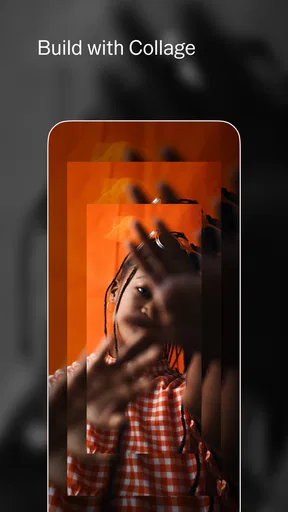
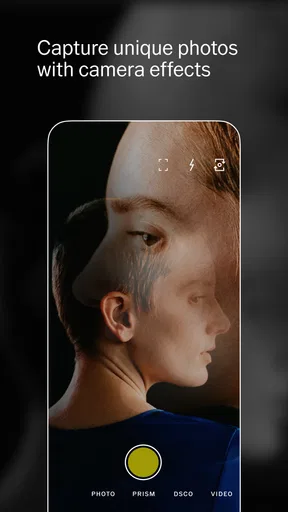
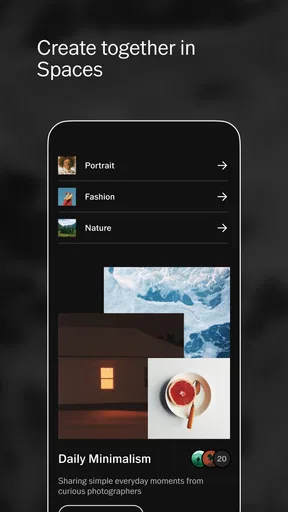

 Analysis by AppCompare
I tend to get the most out of VSCO when I treat it as a small, repeatable photo workflow rather than a place to pile on effects. I start with one image, choose a look that suits the light, then make a few restrained corrections before deciding whether it is ready to share. That simple approach helps the photo stay recognizable, and it keeps editing from turning into an endless search for a dramatic filter.
That rhythm is especially useful for ordinary pictures: a coffee on a cloudy morning, a friend in a window-lit room, or the quick street shot I took while walking home. Instead of trying to make every frame look cinematic, I can use a consistent palette to make a group of unrelated images feel like they belong together. Subtle consistency is one of the app’s more practical strengths, even if the best result is sometimes a light touch rather than a visible transformation.
A repeatable edit beats starting from scratch
For a batch of related photos, I first edit the frame with the clearest light and most natural colors. Once I like its balance, I use that image as a reference for the others, applying a similar preset and adjusting exposure or saturation for each shot. I still check every photo individually: a filter that flatters a bright outdoor scene can make a dim indoor image look muddy. This little habit saves time without making a whole set feel mechanically identical.
I also try to decide what the photo needs before moving sliders. If a face looks too dark, exposure is the first thing I check; if the colors feel loud, I ease back saturation rather than adding another effect. The order matters because stacking adjustments can make it harder to tell which change helped. When I am unsure, I compare the edited image with the original and stop once the edit improves the picture without distracting from its subject.
Check the practical details before settling in
VSCO is a photography app from VSCO, and its long-running focus on editing and image sharing gives it a different feel from a camera utility built mainly around capture controls. It is free to install, carries a Teen content rating, and has an average rating of 3.5 from around 1.3 million ratings. More than 100 million installs suggest that plenty of people have tried it, though popularity alone does not tell me whether its editing style will suit yours.
The app’s current version is 453, and it supports Android 6.0 and later. I would still check that my device has enough room and that the app behaves well on my particular phone before building a regular workflow around it, especially if I rely on older hardware. The free starting point makes that trial low-commitment; optional in-app purchases range from $0.99 to $29.99 per item, so I would explore the tools I actually use before paying for more.
Settings and habits that reduce friction
Before editing a full set, I look at the available presets and tools, then settle on a small handful that suit the subjects I photograph most. Keeping the choices narrow is not a hidden feature; it is simply a useful way to avoid spending more time browsing than editing. I also keep an eye on filter intensity. A preset can provide a helpful starting point, but lowering its strength often preserves skin tones and everyday color better than applying it at full force.
Worth Reading Before You Choose

Flipboard Shows What News Apps Must Do Beyond the Feed

Switching to Android Auto Means Rethinking Your Driving Routine

Google Calendar Makes a Crowded Week Easier to Manage

Ludo King Makes the Most of the Minutes Between Plans

Baby Panda World Brings Quick Play to Modern Phones, but Its Game Library Feels Busy

ESPN’s Live Game View Makes Following Close Games Easier
For photos I plan to share, I make a final check at the size and crop I intend to use. A subtle adjustment can look convincing while I am zoomed in, yet feel too strong when the entire composition is visible. I pay particular attention to bright skies, shadow detail, and skin, because those areas quickly reveal when a treatment has gone too far. This is a practical safeguard, not a promise that every image will need the same recipe.
The social side is optional in spirit: I can use the editing tools without making every picture part of a public-facing portfolio. When I do post, the less competitive atmosphere described in the app’s own experience may appeal to people who want to browse images without treating every upload as a popularity contest. If my main goal is private storage, however, I would keep my usual photo backup habits separate rather than treating a sharing profile as a substitute for them.
Where it fits—and where it does not
Compared with a phone’s built-in editor, VSCO gives me a more distinctive preset-led approach and a place to browse other people’s photography. The built-in editor may be quicker for a crop, a small brightness correction, or a one-off fix I do not want to share. Compared with a more technical desktop-style editor, VSCO feels less demanding to pick up, but it is not the choice I would make when I need meticulous, layer-based retouching or a carefully controlled production workflow.
It suits someone who enjoys shaping the mood of photos and wants a straightforward path from edit to creative sharing. It is less compelling for someone who only needs automatic corrections, dislikes social discovery, or wants every advanced adjustment available without exploring paid options. I would also avoid subscribing or buying tools just because they are offered: first see whether the free editing routine actually becomes part of your week.
First Impressions
When I first downloaded VSCO: Photo Editor, I was greeted by a sleek, minimalist interface. It’s like the app was saying, "Hey, I’m all about the visuals, let’s not get distracted." And honestly, I’m here for it. The clean layout makes it super easy to navigate, even if you’re not exactly a tech guru. Just a few taps and you’re ready to transform your photos.
Editing Features Galore
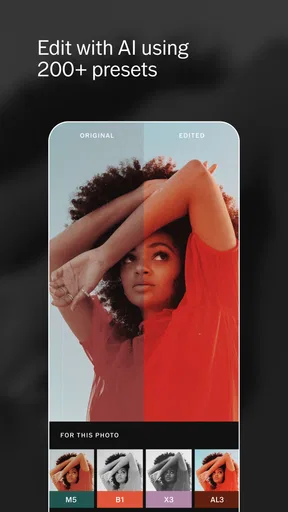
Now, onto the juicy bits – the editing tools. VSCO offers a range of presets and tools that cater to both beginners and seasoned photo editors. It’s like having a mini Photoshop in your pocket but without all the overwhelming buttons. The app comes with a set of free presets, and if you’re feeling fancy, there’s an option to purchase additional ones.
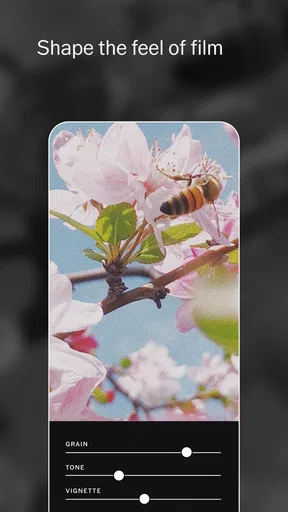
What caught my eye was the ability to adjust the intensity of each filter. You know how some filters can be a bit too much? Not here. With VSCO, you can dial it down or crank it up to suit your vibe. Plus, the manual editing tools like exposure, contrast, and saturation give you the control to fine-tune every detail. I found myself playing around with these sliders more than I’d like to admit!
Community and Sharing
Here’s something that sets VSCO apart from other editing apps: its community. It’s not just about editing; it’s about sharing your creativity with a bunch of like-minded folks. The app has a social platform where you can post your photos, discover others’ work, and even get inspired. It’s kinda like Instagram but with a more artistic flair.
Uploading your edited masterpieces to the VSCO grid is a breeze. There’s no pressure for likes or comments, which, let’s face it, can be refreshing. It’s all about the art, baby!
Membership Perks
If you’re willing to splash a little cash, VSCO offers a membership that unlocks a treasure trove of additional features. We’re talking access to over 200 presets, exclusive editing tools, and even video editing capabilities. Yep, you heard that right. You can take your editing game to the next level with moving pictures!
While the free version is pretty solid on its own, the membership could be a game-changer for those who take their photography seriously. It’s like having a VIP pass to a world of creativity.
Final Thoughts
So, is VSCO: Photo Editor the right app for you? If you’re looking for an easy-to-use editing tool with a community vibe, I’d say give it a whirl. The blend of simplicity and powerful editing options makes it a top contender in the photo app arena. Plus, the social aspect adds a fun dimension to the whole experience.
Whether you’re snapping pics of your cat or capturing breathtaking landscapes, VSCO has something to offer. Who knows? You might just discover a hidden passion for photography you never knew you had!
Pros
- User-friendly interface for easy navigation.
- Wide range of filters and editing tools.
- Regular updates with new features.
- Strong community for sharing and inspiration.
- Ad-free experience enhances usability.
Cons
- Limited features in free version.
- Subscription required for full access.
- Occasional performance lags.
- No in-app tutorial for beginners.
- Exporting images can be slow.
FAQs for VSCO: Photo Editor
What features does VSCO: Photo Editor offer for photo editing?
VSCO provides a wide range of photo editing tools, including filters, contrast, saturation, and grain adjustments. Users can also take advantage of advanced features like HSL (Hue, Saturation, Lightness) and split tone. The app's minimalistic interface makes it easy to navigate, allowing for quick edits and seamless sharing across platforms.
Is there a subscription required to use all features in VSCO?
VSCO offers both free and subscription-based features. The free version includes basic editing tools and a limited number of filters. For access to the complete filter library, advanced tools, and educational content, a VSCO Membership is required. The subscription is billed annually and offers a more comprehensive editing experience.
Can I use VSCO to edit videos as well as photos?
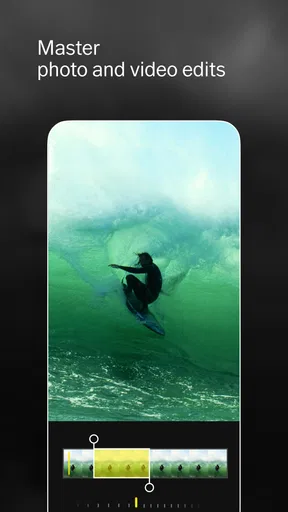
Yes, VSCO allows users to edit videos in addition to photos. Video editing features include applying filters, adjusting exposure, contrast, and color grading. While basic video editing is available, some advanced features may require a VSCO Membership. The app supports seamless editing and exporting of high-quality video content.
How user-friendly is the VSCO app for beginners?
VSCO is highly regarded for its user-friendly interface, making it accessible to beginners. The app provides easy-to-use tools and intuitive navigation. For those new to editing, VSCO offers tutorials and educational content to help users understand how to optimize their photos and videos effectively, enhancing their editing skills over time.
What community features are available on VSCO?
VSCO includes a vibrant community feature where users can share their creations and discover content from others. Unlike traditional social media, VSCO focuses on creativity and inspiration, without likes or comments. Users can explore curated galleries, follow other creators, and participate in weekly challenges to engage with the community.


